
ClickUp vs GoHighLevel: The Brutally Honest Comparison (Don’t Choose Wrong)
When it comes to making a decision between two tools like ClickUp vs GoHighLevel, most people get confused because they seem similar on the surface. But in reality, these platforms are built for completely different purposes.
One helps you manage your work and team, while the other is designed to grow your business through CRM and automation.
If you pick the wrong one, you will spend weeks setting it up, paying for features you never use, and eventually switching anyway. Which platform will actually help your business grow without creating problems later?
OR read this full comparison that breaks both tools apart, compares them honestly, and helps you decide which one deserves your money, your time, and your business.
Quick Answer: ClickUp vs GoHighLevel
If you want a fast decision without reading the full guide, here it is:
- Choose ClickUp if your main goal is to manage tasks, projects, and team collaboration in one place. It works best for internal teams, startups, and companies focused on productivity.
- Choose GoHighLevel if you need a complete system for lead generation, CRM, funnels, and marketing automation. It is ideal for agencies, marketers, and service-based businesses.
In simple terms, ClickUp helps you manage work, while GoHighLevel helps you grow revenue.
For agency owners and marketers who want to drive revenue, GoHighLevel is the absolute clear winner.
Still not surewhich one is right for your specific business? GoHighLevel offers a free 14-day trial so you can test the platform without spending a single dollar.
What’s the Main Difference Between ClickUp vs GoHighLevel?
The primary difference between ClickUp vs GoHighLevel comes down to their core purpose. They are built for two completely different stages of the business lifecycle.
=> GoHighLevel was designed specifically for marketing agencies and local businesses. Every feature inside it points toward one goal: get more clients, keep those clients, and automate the communication in between.
=> ClickUp was designed for productivity. It helps teams plan, prioritize, and complete work in an organized way.
This is not a small difference. It shapes everything from how the dashboards are built to what kind of reports you get.
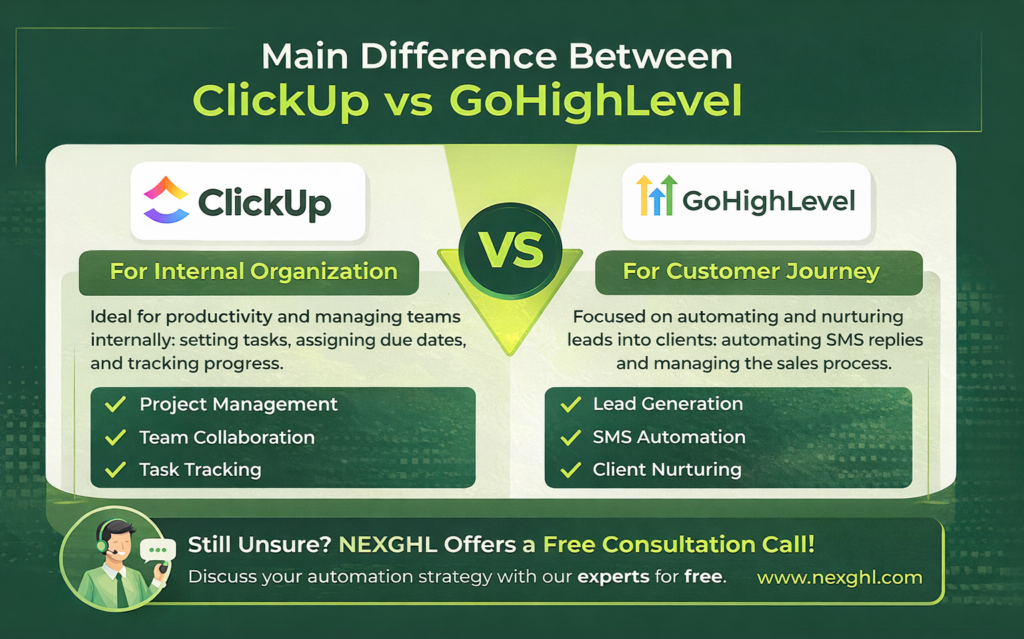
GoHighLevel includes a full CRM, funnel builder, email marketing, SMS automation, reputation management, appointment scheduling, membership sites, and white labeling. It is essentially a suite of tools that would cost you several hundred dollars per month if you bought each one separately.
ClickUp includes task management, docs, goals, time tracking, sprints, workload views, and a basic CRM. It is a workspace tool designed to replace scattered apps like Trello, Asana, Notion, and even Google Docs.
If your answer involves client acquisition, lead nurturing, marketing automation, and pipeline management, GoHighLevel wins without any argument.
If your answer involves internal project management, team collaboration, and task tracking, ClickUp wins.
Thinking about making the switch to GoHighLevel but unsure how to set it up for your specific business?
“Book a free consultation with NEXGHL and let our automation specialists map out your full system”
// Never Miss: GoHighLevel vs Zapier
Key Features Comparison
Before going deep into each area, here is an overview of how both platforms compare across the most important categories.
| Feature Category | ClickUp | GoHighLevel |
| Primary Focus | Task and project management | Marketing and client acquisition |
| Target Audience | Teams of all sizes | Marketing agencies and local businesses |
| Core Strength | Internal team collaboration | Sales pipelines and automated outreach |
| Native Email Marketing | Very basic | Highly advanced |
| Website Building | Not available | Full funnel and website builder |
| Time Tracking | Built right into the platform | Not natively supported |
| Client Portal | Limited to sharing specific views | Fully customizable white label portal |
| Team Collaboration | Advanced | Basic |
| Pricing | Free to $19/user/mo | Flat $97 to $497/mo |
Lead Management & CRM Depth
When you evaluate ClickUp vs GoHighLevel for managing leads, the differences are massive.
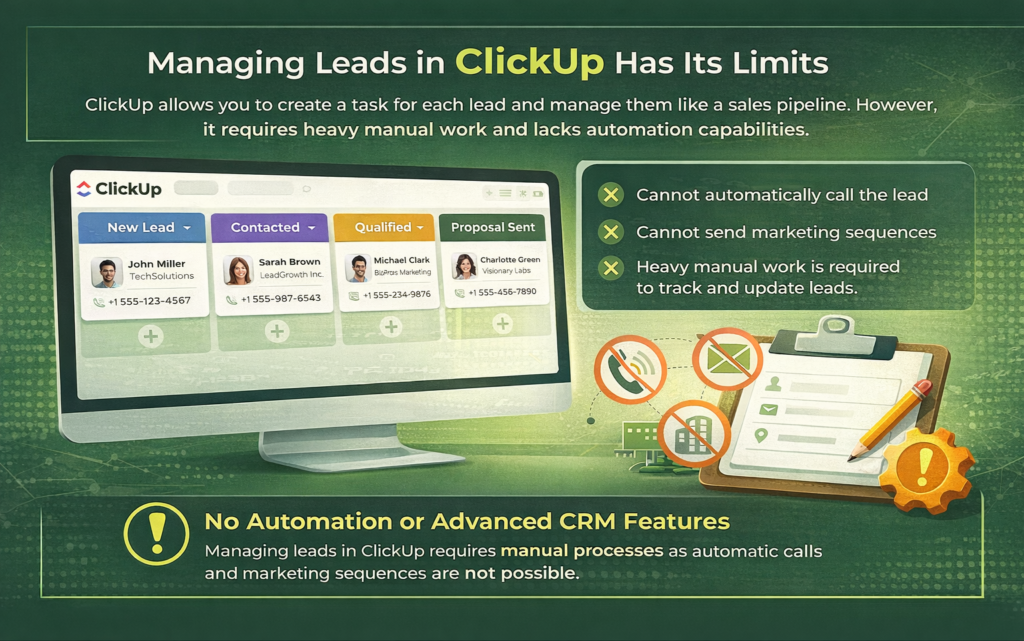
ClickUp allows you to manage leads by creating a task for each person.
=> You can add custom fields for their phone number, email address, and company name.
=> You can move these tasks across a board to simulate a sales pipeline. However, that is where the functionality ends.
=> You cannot automatically call the lead from ClickUp, and you cannot send them a marketing sequence. It requires heavy manual work to keep updated.
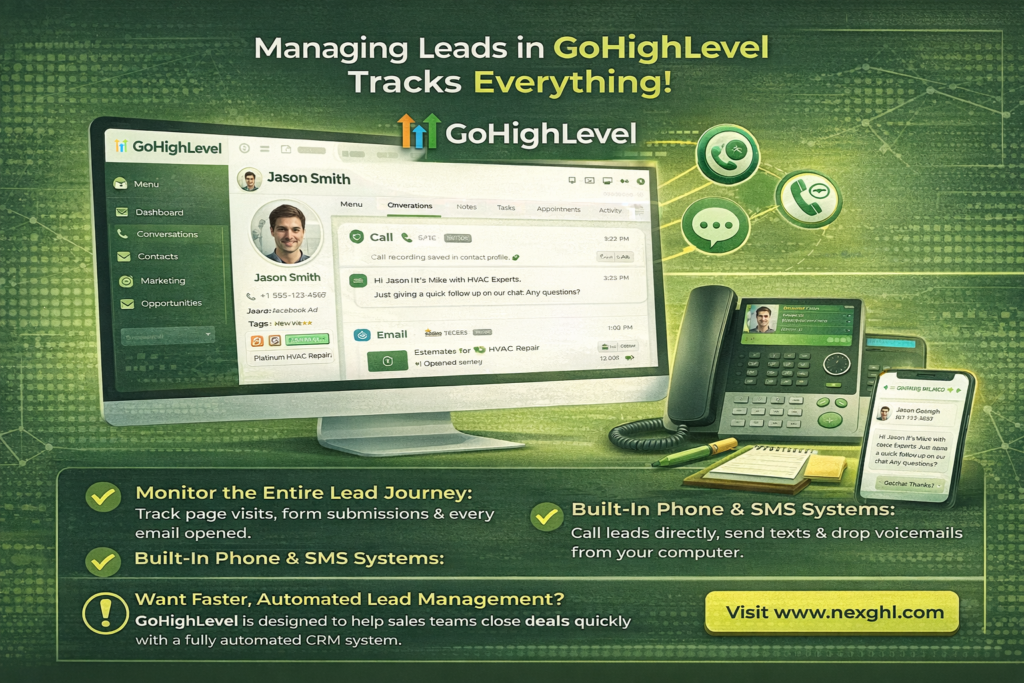
On the other hand, GoHighLevel is a true Customer Relationship Management system. When a lead enters your system, GoHighLevel tracks their entire journey.
=> You can see which page they visited, what form they filled out, and every email they opened. The CRM allows you to call the lead directly from your computer using built in phone systems.
=> You can send text messages, drop voicemails, and record the entire conversation inside the contact profile. It is built specifically to help sales teams close deals faster.
Automation Power (Workflows vs Revenue Automation)
| Automation Type | ClickUp | GoHighLevel |
| Trigger Events | Task status changes, due dates | Form submissions, email opens, missed calls |
| Actions Performed | Assign users, change tags, add comments | Send SMS, trigger emails, add to custom audiences |
| Primary Goal | Save time on internal operations | Drive sales and book appointments |
| Complexity | Simple logical rules | Advanced multi step marketing workflows |
| AI Integration | AI for writing task summaries | AI for booking appointments via text |
ClickUp automations are fantastic for keeping your team organized.
For example, when a designer finishes a graphic, the automation can automatically tag the project manager for review. It eliminates the need for manual status updates.
GoHighLevel automations are designed to make you money.
If a lead calls your business and you do not answer, GoHighLevel can automatically send them a text message apologizing and asking how you can help. This single feature saves lost revenue every single day.
The workflow builder allows you to create complex branching paths based on how leads interact with your marketing material.
// You can Also Read: WooSender vs GoHighLevel: Which Automation Platform Truly Delivers?
Project Management
This is where ClickUp genuinely wins. ClickUp was built from the ground up for project management, and it shows.
You get multiple views including list, board, Gantt, calendar, timeline, and table views. You can set task dependencies, track time directly within tasks, create nested subtasks, assign multiple people to a single task, and monitor workload across your entire team.
GoHighLevel has basic task management inside its CRM, mostly tied to contact records. You can assign tasks, set due dates, and add notes, but it is not a replacement for proper project management software.
If your business runs on complex projects with multiple people and moving parts, ClickUp is the clear choice for that specific function.
Funnel and Landing Page Capabilities
GoHighLevel includes a drag-and-drop funnel and website builder. You can create landing pages, full multi-step funnels, order forms, upsell pages, and even full websites all within the platform. It also connects directly to your CRM so leads that enter through your funnels are automatically captured and added to your pipelines.
ClickUp has no funnel builder. There is no landing page feature, no opt-in forms, and no native lead capture capability. If you want to generate leads, you need to connect ClickUp to something else like Leadpages, Unbounce, or a similar tool.
Winner: GoHighLevel, with no real competition here.
Project Execution and Team Collaboration
ClickUp handles team collaboration with features like task comments, document sharing (ClickUp Docs), goal tracking, sprint management, and real-time notifications. Teams can communicate directly inside tasks, tag teammates, share files, and track progress across projects.
GoHighLevel has internal notes and a conversation view for client communications, but team collaboration for internal project execution is not its strength. Most GoHighLevel agencies pair it with a separate tool for internal team communication, though some use it alongside Slack or Notion.
Winner: ClickUp, by a wide margin for pure team collaboration.
Client Handling and White Labeling
This is a major advantage of GoHighLevel for agencies. You can white label the entire platform, meaning you can rebrand it with your own logo, domain, and color scheme and resell it to your clients as your own software. This creates an additional recurring revenue stream for agencies.
GoHighLevel also has a client portal where your clients can log in, see their results, and access reports. This level of client-facing professionalism is built directly into the platform.
ClickUp does not offer white labeling at any pricing tier. You cannot rebrand it for clients, and there is no dedicated client portal in the same sense.
Winner: GoHighLevel, especially if you run a client-facing agency.
Reporting and Analytics
GoHighLevel provides dashboards that track lead sources, pipeline value, conversion rates, revenue, and campaign performance across email, SMS, and ads. You can also create custom reports for clients that pull in real attribution data.
ClickUp offers reporting focused on productivity metrics like task completion rates, time tracked, workload distribution, and sprint velocity. This is useful for internal team management but has nothing to do with revenue or marketing performance.
Both platforms report well within their own domain. The question is what data matters most to your business.
Integration Ecosystem
ClickUp connects with over 1,000 tools through native integrations and Zapier. It works well with Google Workspace, Slack, Zoom, GitHub, Figma, and most productivity and development tools.
GoHighLevel also has a solid integration library covering Facebook Ads, Google Ads, Stripe, QuickBooks, Zoom, and various calendar tools. It also supports Zapier and has an open API for custom integrations.
For agencies running paid ads and client campaigns, GoHighLevel’s native ad integrations give you something ClickUp simply cannot match. Pulling Facebook and Google ad data directly into your CRM reporting eliminates the need for extra tools like a standalone reporting dashboard.
Both tools are reasonably well connected. ClickUp edges ahead for software development and team productivity stacks, while GoHighLevel edges ahead for marketing and sales technology stacks.
Which Tool Is Easier to Use?
Both platforms offer extensive documentation, YouTube tutorials, and community support. GoHighLevel has a particularly active Facebook community and an onboarding team that helps new users get started.
If you are comparing ClickUp vs GoHighLevel on ease of use, neither is a plug-and-play experience. Both require an investment of time to master. The difference is that GoHighLevel’s features have an obvious connection to business revenue, which makes the learning feel more motivated.
For complete beginners, neither tool is simple. But for agency owners specifically, GoHighLevel tends to click faster because the use cases map directly to real client acquisition and retention tasks.

Pricing Comparison
Understanding the cost is important before migrating your entire business to a new platform. Both tools offer different pricing models based on their core audience.
ClickUp pricing
| ClickUp Plan | Price Per User Billed Annually | Target Audience |
| Free Forever | 0 dollars | Individuals and freelancers |
| Unlimited | 7 dollars per month | Small teams needing simple organization |
| Business | 12 dollars per month | Mid sized agencies needing advanced tracking |
| Enterprise | Custom pricing | Large corporations needing extreme security |
ClickUp charges on a per user basis. This means as your team grows, your monthly bill grows.
For example: A 10-person team on the Business plan would pay $120 per month.
However, the entry cost is incredibly low, making it highly accessible for startups.
GoHighLevel pricing
| GoHighLevel Plan | Price Per Month | Target Audience |
| Starter | 97 dollars | Solo business owners or small local shops |
| Unlimited | 297 dollars | Growing agencies with multiple clients |
| Agency Pro | 497 dollars | Advanced agencies selling software as a service |
GoHighLevel pricing is flat rate per account, not per user. This means an agency with 20 team members pays the same $297 as one with 5 team members on the Unlimited plan.
Which Gives Better Value in Terms of Pricing?
For a solo freelancer or a small internal team, ClickUp’s free or Unlimited plan can be very cost-effective.
For an agency with even 3 to 5 clients, GoHighLevel’s $297 plan delivers far more return on investment because it replaces the cost of multiple separate tools.
Consider that GoHighLevel replaces your email marketing tool, your SMS platform, your funnel builder, your CRM, your booking software, and your review management tool all in one subscription.
When you add up what those tools cost individually, GoHighLevel often saves agencies $300 to $600 per month while delivering a better connected experience.
Real Use Case Scenarios
Use Case 1: A Digital Marketing Agency
A marketing agency manages 15 local business clients. Each client needs a CRM, lead follow up automation, appointment booking, and monthly reporting on campaign performance. The agency also wants to white label the platform and resell it as part of their service offering.
GoHighLevel fits perfectly here. The agency sets up one parent account, creates a sub account for each client, builds automated follow up sequences, and charges clients a monthly fee to access their branded portal. ClickUp would not handle any of this.
Use Case 2: A Software Development Company
A software company has 25 developers, designers, and project managers collaborating on multiple client projects. They need to track tasks, manage sprints, set deadlines, review work, and log time for billing purposes.
ClickUp fits perfectly here. The team builds projects for each client, assigns tasks to team members, tracks hours logged, and manages sprint cycles all in one place. GoHighLevel would not serve this team at all.
Pros and Cons
Every software has strengths and weaknesses. Here is the brutally honest breakdown.
ClickUp Pros & Cons
| Pros of ClickUp | Cons of ClickUp |
| Highly customizable for any workflow | Can be very slow and buggy at times |
| Excellent time tracking and reporting | Steep learning curve for basic users |
| Very affordable per user pricing | Mobile application lacks full functionality |
| Replaces multiple operational tools | Easy to create messy and confusing workspaces |
GoHighLevel Pros & Cons
| Pros of GoHighLevel | Cons of GoHighLevel |
| Replaces almost all marketing software | Setup requires technical marketing knowledge |
| Unlimited users without extra fees | Customer support can be slow to respond |
| White label capability to build your own brand | User interface can feel clunky |
| Incredible automation for lead follow up | Hidden costs for phone and text usage |
Who Should Use ClickUp vs GoHighLevel?
You should use ClickUp if:
- Your primary need is managing tasks and projects across a team
- You want a centralized workspace that replaces Asana, Trello, and Notion
- Your business runs on deliverables and timelines rather than lead generation
- You have a development, creative, or operations team that needs structured workflows
- You want time tracking built into your project management
You should use GoHighLevel if:
- You run a marketing agency or offer services that include client acquisition
- You want to manage leads, automate follow ups, and run campaigns from one dashboard
- You want to white label a CRM and marketing platform for your clients
- You need appointment scheduling, reputation management, and email campaigns in one place
- You want to replace five or more separate marketing tools with a single platform
When You Should NOT Choose These Tools
Sometimes, neither platform is the right fit. You have to recognize when a tool will cause more harm than good.
Cases where ClickUp fails
ClickUp fails when you try to use it as a customer database for marketing. If you want to send a mass email newsletter to ten thousand people, ClickUp will not do it. It also fails if you just need a simple to do list for your personal life. The sheer amount of features will slow you down. If you just want to buy groceries, use a simple notes app.
Cases where GoHighLevel is overkill
GoHighLevel is overkill if you are an established ecommerce brand selling physical products. It is not designed to manage complex inventory or shopping carts like dedicated ecommerce platforms. It is also overkill if you do not do any proactive marketing or sales follow up. If you just want a static digital brochure website, paying a high monthly fee for GoHighLevel is a waste of money.
Can ClickUp Replace GoHighLevel?
Absolutely not. ClickUp cannot replace GoHighLevel because it simply does not have the necessary features. ClickUp cannot host a domain, it cannot build a sales funnel, it cannot send automated text messages to leads, and it cannot facilitate two way phone calls. Trying to replace a marketing platform with a project manager is impossible. They do completely different things.
Can You Use ClickUp and GoHighLevel Together?
Yes, and many agencies do exactly this. GoHighLevel handles client acquisition, CRM, campaigns, and communication. ClickUp handles internal project management, task delivery, and team collaboration. The two platforms serve different parts of a business operation and do not overlap in a way that creates confusion.
You can also connect them through Zapier or Make to create simple automations between the two. For example, when a new client is added in GoHighLevel, a new project can be created automatically in ClickUp for the delivery team.
Using both tools together gives you the best of the ClickUp vs GoHighLevel comparison without having to sacrifice either capability.
Which One Is Best for You?
The answer comes back to your business model. Ask yourself two questions.
First, do you need to grow your client base or retain existing clients through automated communication and marketing campaigns? If yes, GoHighLevel.
Second, do you need to manage the work your team does to deliver results for those clients? If yes, ClickUp.
If both answers are yes, both tools working together is the smartest setup you can build.
Best Alternatives (If Neither Fits You)
If you have read this far and neither tool feels like the right match, here are some alternatives worth exploring.
For project management alternatives to ClickUp:
- Asana is simpler and easier to onboard for teams that do not need as many features
- Monday.com offers strong visual project management with good client-facing options
- Notion works well for teams that want a more flexible, document-centric approach
For marketing and CRM alternatives to GoHighLevel:
- HubSpot is a powerful CRM option but gets expensive quickly as you add features
- ActiveCampaign is strong for email automation but lacks the funnel and booking tools
- Keap (formerly Infusionsoft) is a GoHighLevel competitor with a longer track record but a higher price point
That said, for agency owners specifically, very few platforms match what GoHighLevel delivers at its price point. Most alternatives either cost more or offer less.
Final Decision
The debate between ClickUp vs GoHighLevel is ultimately a debate between fulfillment and marketing. Both are world class software platforms that dominate their respective industries.
Do not try to force one tool to do everything. Respect the purpose of the software. If you want to build a million dollar agency, you need strong marketing and strong fulfillment. GoHighLevel will get the clients through the door, and ClickUp will make sure they get what they paid for. Choose the one that solves your immediate problem today, and plan to integrate the other as your company scales into the future.
If you are leaning toward GoHighLevel and want expert help setting it up the right way, the team at NEXGHL specializes in GoHighLevel automation and implementation. Visit nexghl.com to learn how we help businesses build systems that actually generate results.
