

Close vs GoHighLevel: Sales CRM OR Full Automation | Which Platform Should You Choose?
Not sure which platform fits your workflow between Close vs GoHighLevel? Let’s break it down clearly.
Most businesses don’t struggle because of the tool. They struggle because they choose a system that does not match how leads are captured, followed up, and closed.
A quick clarity check at this stage can save months of rework later. Lets Start!
Close is built for speed-focused sales teams that live on calls, pipelines, and follow-ups. GoHighLevel, on the other hand, positions itself as a full growth system that combines CRM, automation, funnels, messaging, and appointment booking under one roof. Choosing the wrong platform often leads to friction, manual work, or stalled growth.
The confusion starts when both tools are labeled as “CRMs,” even though their core purpose is not the same. Close is designed to help sales reps move faster inside an active pipeline. GoHighLevel is designed to automate the entire lead journey before, during, and after the sale.
If you do not understand this distinction early, feature comparisons alone can be misleading.
In this Close vs GoHighLevel comparison, we will break down how each platform handles sales workflows, automation depth, communication, reporting, pricing, and real-world use cases. More importantly, you will learn which type of business should choose Close, which should choose GoHighLevel, and why switching later can be costly if the foundation is wrong.
By the end of this guide, you will have a clear answer based on how your business actually operates, not marketing promises or feature lists.
Core Difference Between: Close vs GoHighLevel
The real difference comes when users Close and GoHighLevel are compared as CRMs, but this comparison can be misleading if you stop there. So must read this first before going deeper.
=> Close is a sales focused CRM designed to help reps call faster, follow up better, and close deals efficiently.
=> GoHighLevel is an automation-first platform that includes CRM features as part of a much larger operating system.
=> Close is built for speed inside the sales process. It assumes leads already exist and need to be worked efficiently by humans.
=> GoHighLevel is built for control across the entire customer journey, from lead capture to long term retention, with automation handling much of the work.
If your business depends on follow-ups, reminders, appointment booking, or multi-channel communication, this difference is not optional. It determines whether your system works for you or against you.
It is the same reason many businesses also compare Kartra vs GoHighLevel when deciding between a sales tool and a full automation platform.
Ready to Experience the Difference?
If your business is moving beyond manual follow-ups and disconnected tools, GoHighLevel gives you the control and automation that sales-only CRMs simply cannot.
Get expert-guided setup, automation clarity, and an exciting onboarding advantage ,so you don’t just test the platform, you actually use it effectively.
What Is Close CRM and Who Is It Built For?
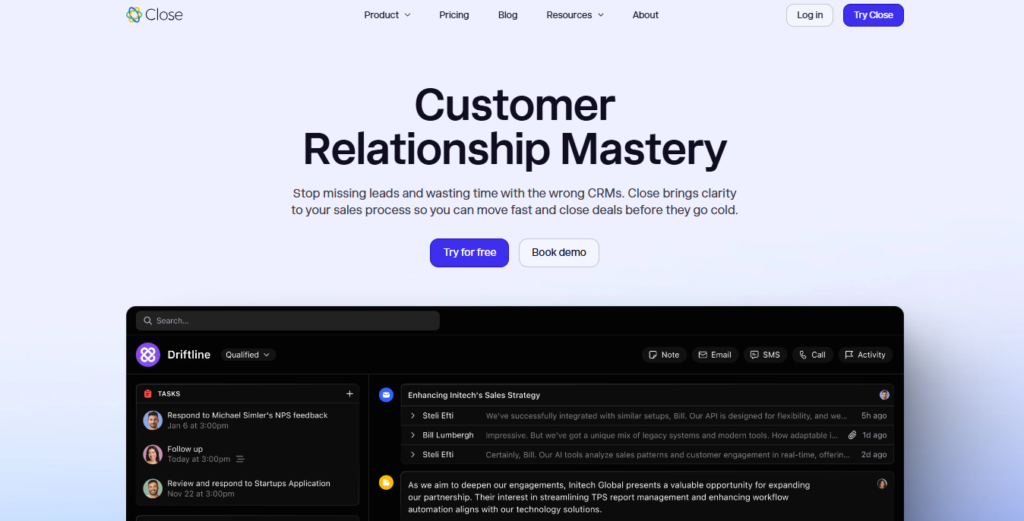
Close is a sales focused CRM designed primarily for inside sales teams. It was built to help teams call faster, track conversations, and close deals efficiently. The platform emphasizes communication speed and visibility rather than automation breadth.
Close works best for teams that already have leads coming in and need a structured way to manage outbound sales activities. It does not attempt to replace marketing tools or website builders. Instead, it integrates with them.
Key strengths of Close include:
Close excels in areas related to direct sales execution. Its calling features are among the strongest in the CRM market. Sales managers especially love it because it’s easier to manage due to its simplicity and reporting clarity.
- A fast and clean calling interface built directly into the CRM
- Power dialer and predictive dialing for outbound sales teams
- Simple pipeline and opportunity management
- Email syncing and basic sequences
- Clear reporting focused on sales performance
Close works best when the sales process is straightforward and human driven. If your team spends most of its time calling leads, updating deal stages, and sending manual follow ups, Close feels efficient and focused.
However, Close assumes that marketing, lead capture, and automation are handled elsewhere. This is where limitations begin to appear as businesses scale.
Never Miss: Kartra vs GoHighLevel: A Complete Comparison
What Is GoHighLevel and Why Automation Changes Everything
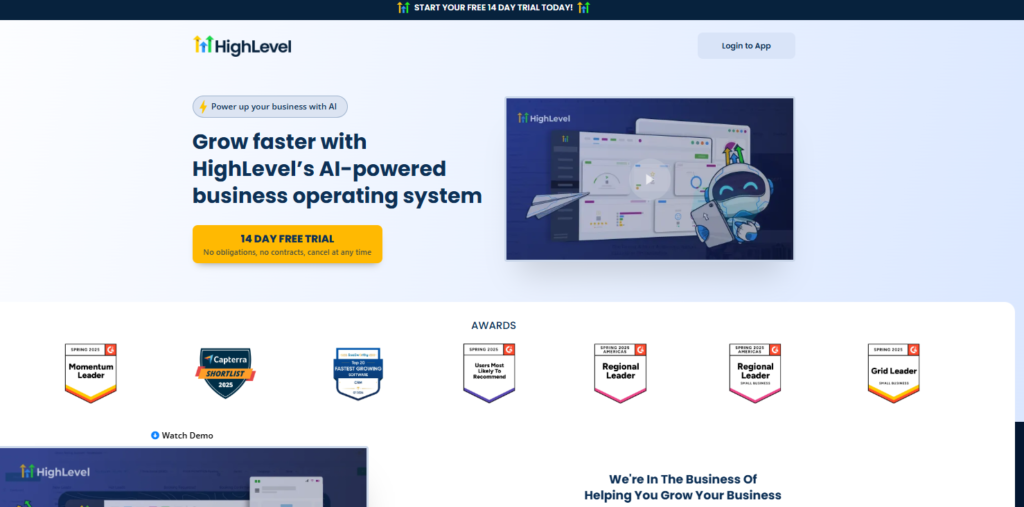
GoHighLevel is not just a CRM. It is an all in one automation platform built to replace multiple tools. It combines CRM, pipelines, automation workflows, email, SMS, calendars, funnels, websites, and reputation management in one system.
The platform is designed so that leads move automatically without human effort. Follow ups happen even when your team is offline. Pipelines update based on behavior, not just manual actions.
GoHighLevel is widely adopted by agencies, service businesses, and growth focused teams because it allows deep customization without rebuilding systems every time a business scales.
Core Capabilities of GoHighLevel
Why do users give priority to it?
- Automate follow ups across SMS, email, and voicemail
- Track leads visually through pipelines
- Trigger workflows based on behavior
- Book appointments automatically
- Manage conversations in one inbox
- Build reusable systems across clients or locations
This depth of automation is why GoHighLevel is often described as an operating system rather than just a CRM.
GoHighLevel Automation Explained in Simple Terms
Automation in GoHighLevel is not just about sending emails. It is about controlling what happens next.
GoHighLevel workflows allow businesses to:
- Respond instantly to new leads
- Route conversations automatically
- Trigger actions based on behavior
- Move deals through pipelines
- Notify teams internally
- Recover missed calls automatically
Instead of asking what a salesperson should do next, the system already knows what to do.
Pricing and Plans Comparison
Pricing is often the first filter businesses use, but it should never be the only one. Below is a detailed and accurate pricing comparison based on publicly available information.
Close CRM Pricing and Plans
| Plan Name | Monthly Price (Per User) | Included Features | Best For |
| Startup | $29 per user | Basic CRM, email sync, limited calling, task management | Small teams testing a CRM |
| Professional | $99 per user | Power dialer, call coaching, workflow automation, reporting | Growing sales teams |
| Enterprise | $149 per user | Advanced reporting, call recording, API access, priority support | Large sales organizations |
Important notes about Close pricing:
- Pricing is per user which increases costs as teams grow
- SMS automation is limited
- Marketing automation is not included
- Funnels, websites, and calendars require external tools
For a team of five users on the Professional plan, the monthly cost would be $745.
Close Sales CRM Pricing Page: https://www.close.com/pricing
GoHighLevel Pricing and Plans
| Plan Name | Monthly Price | Included Features | Best For |
| Starter | $97 per account | CRM, pipelines, workflows, email, SMS, calendar, funnels | Single business owners |
| Unlimited | $297 per account | Unlimited sub accounts, advanced automation, white label options | Agencies and multi location businesses |
| SaaS Pro | $497 per account | SaaS mode, rebilling, advanced branding, API access | Software resellers and large agencies |
Important notes about GoHighLevel pricing:
- Pricing is not per user
- Automation is fully included
- Funnels and websites are native
- SMS and email automation are built in
- Systems can be reused across accounts
For agencies or growing teams, this pricing model often becomes significantly more cost effective compared to Close.
GoHighLevel Pricing Page: https://www.gohighlevel.com/pricing
Feature Comparison: Close vs GoHighLevel
Features matter only when they align with real workflows. Below is a detailed side by side feature comparison.
CRM and Pipeline Management Comparison
Both platforms offer CRM and pipelines, but they are not equal in how they are used.
Close treats the CRM as a sales workspace. Pipelines exist to help reps move deals forward manually. GoHighLevel treats the CRM as a system engine. Pipelines are triggers for automation.
| CRM Capability | Close | GoHighLevel |
| Deal pipelines | Yes | Yes |
| Custom fields | Yes | Yes |
| Lead scoring | Limited | Advanced |
| Multiple pipelines per account | Limited | Yes |
| Pipeline-driven automation | No | Yes |
If your pipeline needs to trigger actions automatically, GoHighLevel has a clear advantage.
Sales Automation and Workflow Depth
Automation is where the biggest difference appears in Close vs GoHighLevel.
Close offers basic automation such as email sequences and simple task reminders. These work well for straightforward sales processes.
GoHighLevel offers full workflow automation using triggers, conditions, delays, and branching logic. Actions can fire based on form submissions, missed calls, pipeline movement, appointment status, and message engagement.
| Automation Feature | Close | GoHighLevel |
| Conditional logic | No | Yes |
| Multi-channel triggers | No | Yes |
| Time-based automation | Limited | Advanced |
| Internal alerts | No | Yes |
| Pipeline automation | No | Yes |
For businesses that rely on follow-ups happening without human input, GoHighLevel is far more powerful.
Communication Channels: Calls, SMS, and Email
Close excels in calling. GoHighLevel excels in coordinated communication.
Close offers strong calling tools, power dialers, call logging, and email syncing. Sales reps who live on calls will appreciate this focus.
GoHighLevel supports calling as well, but its real strength is omnichannel automation. SMS, email, voicemail drops, and WhatsApp can all work together inside workflows.
| Channel | Close | GoHighLevel |
| Calling | Strong | Good |
| SMS | Limited | Yes |
| Yes | Yes | |
| No | Yes | |
| Automated follow-ups | Basic | Advanced |
If communication needs to happen automatically and across channels, GoHighLevel wins.
Funnels, Landing Pages, and Lead Capture
This section alone decides the platform for many businesses.
Close does not include landing pages, funnels, forms, or booking systems. It expects leads to come from external tools.
GoHighLevel includes funnels, landing pages, forms, calendars, and tracking. Leads flow directly into the CRM and trigger automation instantly.
| Lead Capture Feature | Close | GoHighLevel |
| Landing pages | No | Yes |
| Funnels | No | Yes |
| Forms | No | Yes |
| Calendar booking | No | Yes |
| Attribution tracking | No | Yes |
For marketing-led growth, GoHighLevel is clearly more complete.
Integrations and Ecosystem
Close integrates well with sales tools and external marketing platforms through Zapier and native connections.
GoHighLevel is designed to be the central hub. Ads, forms, payments, calendars, and messaging can all live inside the same system.
| Integration Area | Close | GoHighLevel |
| Native integrations | Limited | Extensive |
| Zapier | Yes | Yes |
| Ad platform sync | No | Yes |
| Payment integration | No | Yes |
| CRM as system hub | No | Yes |
Businesses that want fewer tools and fewer integrations often prefer GoHighLevel.
Scalability and Long Term Growth
Scalability is often ignored during early platform decisions. This is where many businesses regret choosing a CRM that cannot grow with them.
Close scales by adding users. This increases cost and management overhead.
GoHighLevel scales by duplicating systems. This increases efficiency.
Agencies and service businesses often outgrow Close once automation becomes a priority.
Data Ownership and Customization
Close offers a structured environment with limited customization. This keeps systems clean but restricts advanced use cases.
GoHighLevel offers deep customization at every level. This allows businesses to:
- Build custom workflows
- Create unique pipeline logic
- Design industry specific systems
- Control full data flow
For businesses that value flexibility, GoHighLevel becomes the obvious choice.
If you want to explore how structured automation improves conversion, you can review our detailed breakdown on intelligent CRM workflows at gohighlevel automation services.
Pros and Cons Summary
Close Pros and Cons
| Pros | Cons |
| Excellent calling tools | Limited automation |
| Simple interface | No funnels |
| Sales rep focused | No marketing layer |
GoHighLevel Pros and Cons
| Pros | Cons |
| Deep automation | Learning curve |
| All-in-one platform | Overkill for small sales teams |
| Scales easily | Needs proper setup |
Use Case Breakdown: Which Platform Fits You?
This is where the decision becomes clear.
| Business Type | Better Choice | Reason |
| Sales teams | Close | Strong calling focus |
| Agencies | GoHighLevel | White label and automation |
| Local services | GoHighLevel | Booking and follow-ups |
| High-volume outbound sales | Close | Dialer efficiency |
| Marketing-led businesses | GoHighLevel | Funnels and lifecycle |
Choosing based on use case prevents overpaying or underbuilding.
Final Recommendation from NEXGHL
Close is a solid choice for sales teams that live on calls and simple pipelines.
GoHighLevel is the better option for businesses that rely on automation, marketing systems, and scalable operations.
From real-world audits, most CRM failures happen because systems are built without strategy. The platform is rarely the problem. The structure is.
We specialize in designing and implementing GoHighLevel systems that:
- Automate follow-ups across SMS, email, and calls
- Move leads through pipelines automatically
- Replace multiple disconnected tools
- Scale without increasing manual work
If you are deciding between Close vs GoHighLevel, let an expert review your sales process before you commit.
